
Introduction
If you’ve ever received a message you wanted to share with someone else, you may have wondered how to forward a text in the easiest way. It sounds simple, but many people still get confused, especially when switching between iPhone and Android devices. The good news is that forwarding a message is quick once you know the right steps.
In this guide, you will learn how to forward a text message in a clear and simple way. We will cover both iPhone and Android in detail. You will also see real examples, tips, common mistakes, and privacy advice. Everything is explained in very easy language so anyone can follow along, even if they are new to smartphones.
By the end, you will confidently understand how to forward a text on iPhone, how to forward a text on Android, and how to use this feature in daily life without stress.
What Does It Mean to Forward a Text?
Before learning how to forward a text, it is important to understand what forwarding really means. Forwarding a text simply means taking a message you received and sending it to another person without rewriting it. It is like sharing someone else’s message with your friends or family in just a few taps.
For example, if your friend sends you an address, you can quickly forward it to another friend. You don’t need to type anything again. This saves time and reduces mistakes. Many people use this feature every day for work, school, and personal communication.
Understanding how to forward a text message is useful because it helps you share important information quickly. It also helps avoid confusion when repeating long messages. Whether you use an iPhone or Android, the idea is the same: select, tap forward, and send.
Why People Use Text Forwarding
Learning how to forward a text message on iPhone or Android is not just about technology. It is about convenience in daily life. People forward texts for many reasons. One of the most common is sharing important information like addresses, passwords, or instructions.
Another reason is saving time. Instead of typing the same message again, users simply forward it. Students often forward notes, while workers forward meeting details. Families also use it to share updates quickly.
When you understand how to forward a text on Android, you can easily stay connected without repeating yourself. It also reduces typing errors. Many users find this feature helpful when multitasking or communicating with large groups.
Overall, forwarding messages makes communication faster, simpler, and more accurate for everyone.
How to Forward a Text Message on iPhone (Step-by-Step)
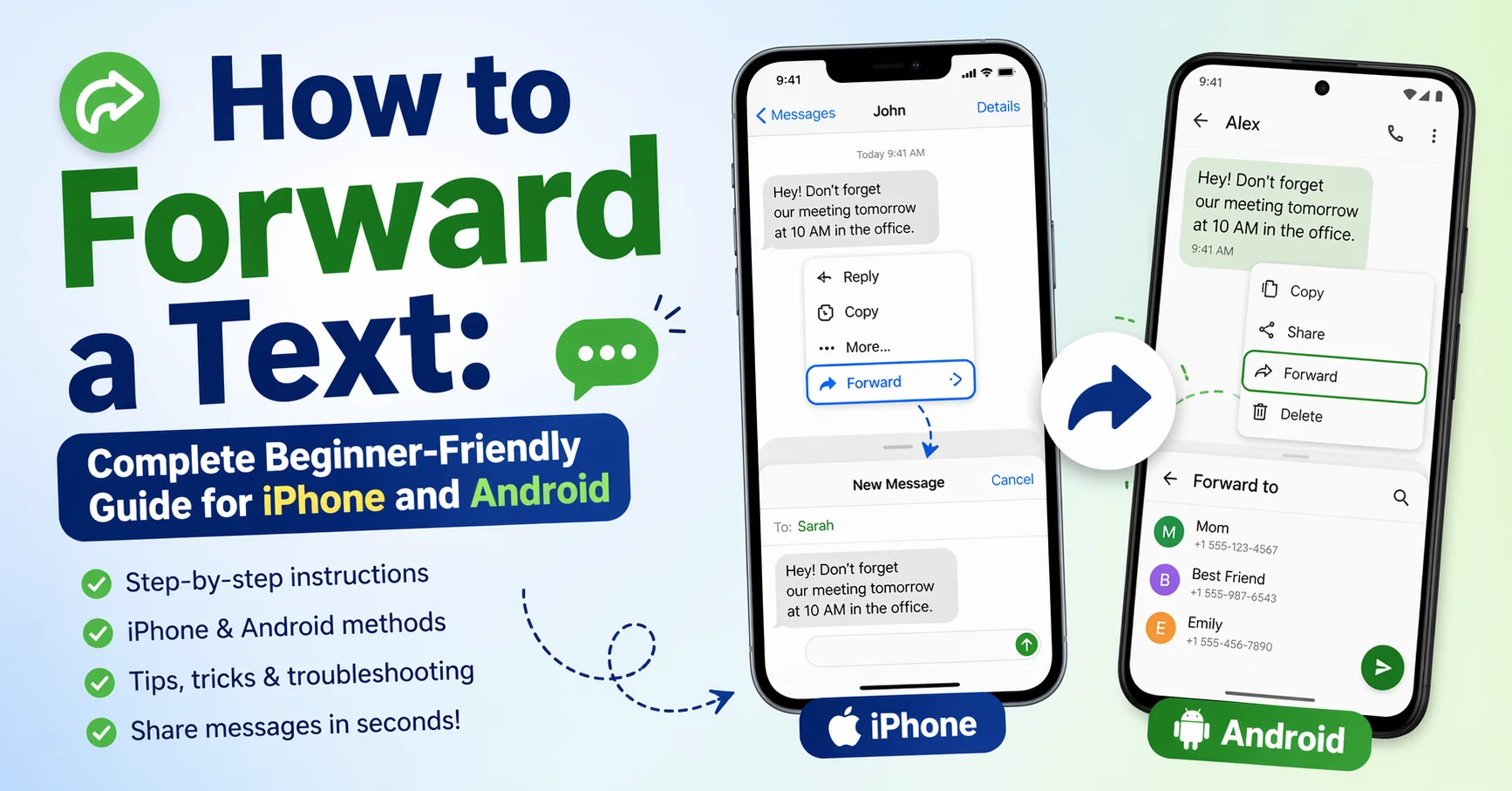
If you are an iPhone user, learning how to forward a text message on iPhone is very easy. Apple has made the process simple so anyone can do it in seconds.
First, open the Messages app. Then find the conversation containing the message you want. Press and hold the message until a menu appears. Tap “More.” After that, select the message using the circle icon. Finally, tap the arrow button in the bottom right corner, enter the recipient’s name, and send it.
This process is the standard iphone how to forward a text message method. It works on all modern iPhones. You can forward one or multiple messages at once using the same steps.
Once you practice, you will understand how to forward a text in iPhone without any confusion. It becomes a very fast action in your daily communication.
Table 1: iPhone Forwarding Steps
| Step | Action |
|---|---|
| 1 | Open Messages app |
| 2 | Select conversation |
| 3 | Hold message and tap “More” |
| 4 | Select message(s) |
| 5 | Tap forward arrow |
| 6 | Enter contact and send |
How to Forward a Text on Android (Simple Method)
Android devices also make it simple to learn how to forward a text on Android. While the design may change slightly depending on the phone brand, the steps are mostly the same.
Open your messaging app first. Then open the conversation with the message. Press and hold the message you want to share. You will see options like “Forward” or an arrow icon. Tap it. Then select the contact you want and send it.
This is the basic how to forward a text message on Android. It works on Samsung, Xiaomi, Oppo, and many other brands.
Android users often find this process very fast. Once you learn it, you can forward messages in just a few seconds without typing anything again.
Table 2: Android Forwarding Steps
| Step | Action |
|---|---|
| 1 | Open messaging app |
| 2 | Open chat |
| 3 | Long press message |
| 4 | Tap “Forward” |
| 5 | Select contact |
| 6 | Send message |
iPhone vs Android Forwarding Differences
When learning how to forward a text, it is helpful to compare iPhone and Android. Both systems allow forwarding, but the design is slightly different.
On iPhone, you must tap “More” before forwarding. On Android, you usually see the forward option directly after long pressing. iPhone has a more structured interface, while Android offers quicker access.
Despite differences, the goal is the same: share a message easily. Whether you use how to forward a text iphone or Android steps, the result is identical.
Table 3: iPhone vs Android Comparison
| Feature | iPhone | Android |
|---|---|---|
| Steps | Slightly longer | Faster access |
| Button style | Arrow after “More” | Direct forward icon |
| Ease of use | Simple | Very simple |
| Flexibility | Moderate | High |
Common Mistakes When Forwarding Texts
Even though how to forward a text message in iPhone or Android is easy, users still make mistakes. One common mistake is selecting the wrong message. This can happen when multiple messages are in a chat.
Another mistake is sending to the wrong person. Always double-check the recipient before sending. Some users also forget to press the send button after selecting contacts.
When learning how to forward a text, attention to detail is important. Small mistakes can cause confusion or privacy issues. Taking a second to review everything can help avoid problems.
Tips for Safe and Smart Message Forwarding
Knowing how to forward a text is useful, but doing it safely is even more important. Always think before forwarding sensitive information like passwords or private details.
Another good tip is to check the message content carefully. Sometimes messages contain old or incorrect information. Forwarding without checking can cause misunderstandings.
Also, avoid forwarding spam or unknown messages. This helps protect both you and the person receiving the message.
When you understand how to forward a text message, using it responsibly makes communication safer and more trustworthy.
Forwarding Images and Media Messages
Forwarding is not limited to text only. When learning how to forward a text message, you can also forward images, videos, and documents.
On both iPhone and Android, the process is similar. You select the media file instead of text and tap forward. This is very useful for sharing pictures or important files.
Many users use this feature in work groups or family chats. It saves time and keeps communication smooth.
Understanding how to forward a text in iPhone and media together makes you more efficient in digital communication.
How to Forward Multiple Messages at Once
Sometimes you may want to send more than one message. Learning how to forward a text message on iPhone or Android in bulk can save even more time.
On iPhone, you can tap “More” and select multiple messages using circles. On Android, you can long press and select several messages together.
This feature is useful when sharing conversations or instructions. Instead of sending messages one by one, you send them all at once.
It is another helpful part of mastering how to forward a text on Android or iPhone effectively.
Troubleshooting Forwarding Problems
Sometimes users face issues while learning how to forward a text message in iPhone or Android. One common issue is the forward option not showing. This can happen due to outdated apps.
Another issue is messages not sending after forwarding. This is often caused by poor internet connection or full storage.
Restarting the app or phone usually fixes most problems. Updating your messaging app can also help.
Table 4: Common Problems and Solutions
| Problem | Solution |
|---|---|
| Forward option missing | Update app |
| Message not sending | Check internet |
| Wrong selection | Re-select message |
| App lag | Restart phone |
Privacy and Responsible Forwarding
When learning how to forward a text, privacy is very important. Not every message should be shared with others. Always think about whether the sender would be okay with you forwarding it.
Avoid forwarding private conversations, financial details, or personal data. Respecting privacy builds trust in communication.
Understanding how to forward a text iphone or Android also includes knowing when NOT to forward something. Responsible use is just as important as technical skill.
Practical Uses of Text Forwarding in Daily Life
Knowing how to forward a text message is helpful in many real-life situations. For example, parents often forward school updates to each other. Office workers forward meeting notes or schedules.
Friends use it to share jokes, locations, or plans. Even businesses rely on forwarding for quick communication.
Once you understand how to forward a text, you will notice how often it is used in daily life. It becomes a natural part of communication.
Conclusion
Learning how to forward a text is a small skill that makes a big difference in daily communication. Whether you use iPhone or Android, the process is simple once you understand the steps.
You now know how to forward a text message on iPhone, how to forward a text on Android, and even how to handle multiple messages, media, and troubleshooting. With practice, it becomes second nature.
Always remember to forward messages carefully and responsibly. Good communication is not just about speed—it is also about accuracy and respect.
FAQs
1. How do I forward a text message easily?
You can long press the message, tap forward, and select a contact.
2. How to forward a text on iPhone quickly?
Use the “More” option in Messages, then select and forward.
3. How to forward a text on Android phones?
Press and hold the message, tap forward, choose contact, and send.
4. Can I forward multiple messages at once?
Yes, both iPhone and Android allow multiple selection.
5. Why can’t I forward a text message?
It may be due to app issues, outdated software, or no internet.
6. Is forwarding messages safe?
Yes, but always avoid sharing private or sensitive information.